Help Sharing
Who can see it
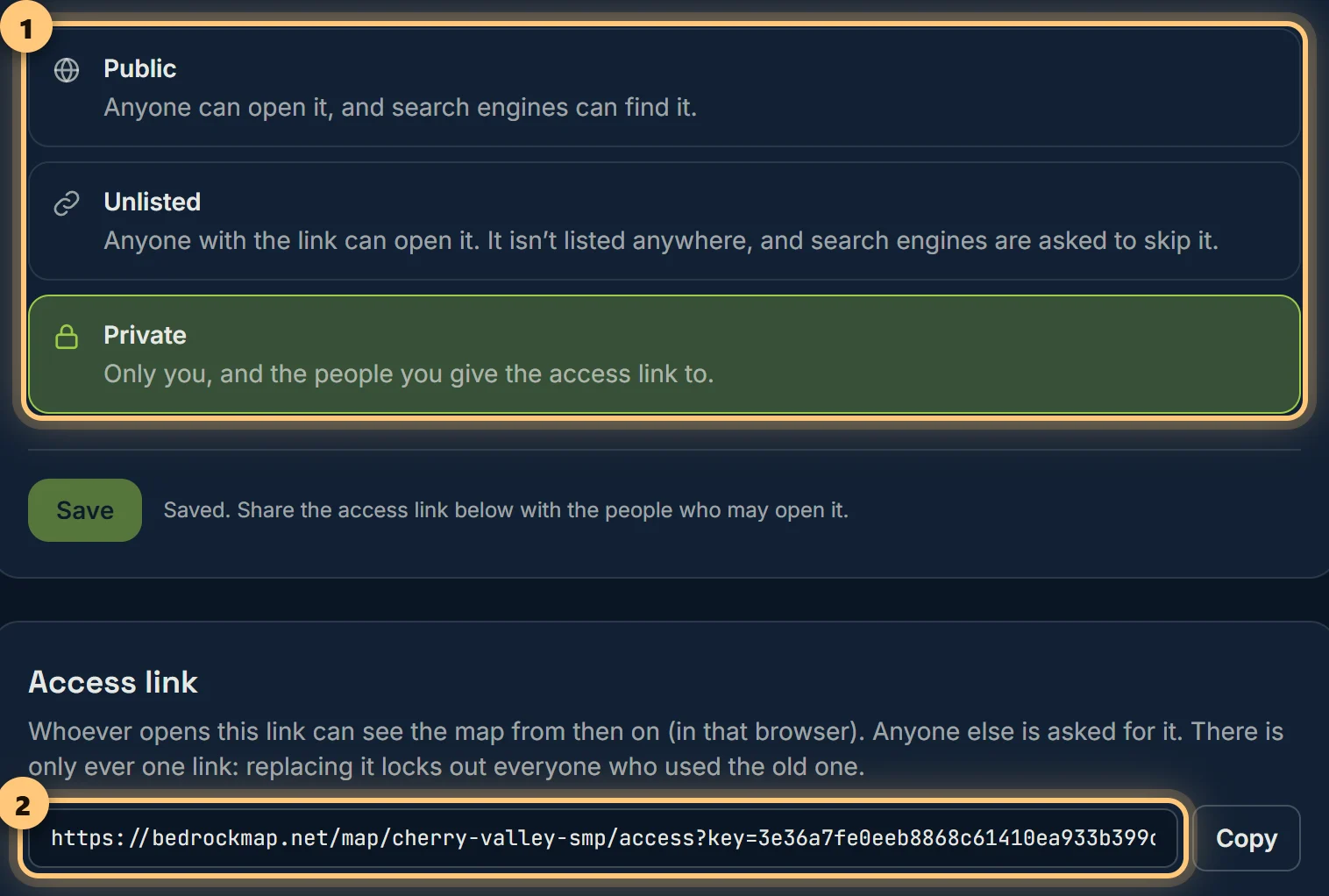
Public for everyone, unlisted for people with the link, or private for the people you give the access link to.
The three choices
| Public | Anyone can open it, and search engines can find it. New maps start public. |
| Unlisted | Anyone with the link can open it. It isn't listed anywhere, and search engines are asked to skip it. |
| Private | Only you, and the people you give the access link to (Premium). |
Private maps and the access link
When a map is private, anyone who opens it is asked for the access link. Share that link with the people who should see the map: once they've opened it, that browser can see the map from then on.
There's only ever one link. Replace the link makes a new one and stops the old one working at once, for everyone who used it. They'll need the new link. Use it if the link has got out.
The community showcase
Public Premium maps can be listed on the community page, where people browse other worlds. Under On the community page, switch on List it on the community page and choose Save. Your world's picture is shown with it; see Name, picture and deleting.
In the same section you choose how its card looks, with a preview beside it:
- Picture: the world's own picture, or a view of the map.
- A line for the card: up to 160 characters written for browsers, shown instead of the world's description.
- Show on the card: the description, Bedrock or Java, players online, when it was updated, and views this month, each on or off.
Changes show on the community page within a minute.
Ready to make a map, or need to change something?
Open your dashboard