

Help With Bedrock Relay
Auto-sync
Your map keeps itself up to date: Bedrock Relay sends a fresh copy of your world on a schedule, and it's rendered automatically.
Setting it up
- Connect your world through Bedrock Relay, if you haven't.
- For a server, Bedrock Relay needs its SFTP login: that's how copies are taken. If it doesn't have it, Auto-sync says so, and Set it up in Bedrock Relay takes you to the world's page there to save it. A Realm needs its owner's Microsoft sign-in, given when you connected it.
- On BedrockMap, open your world's Auto-sync page and choose when.
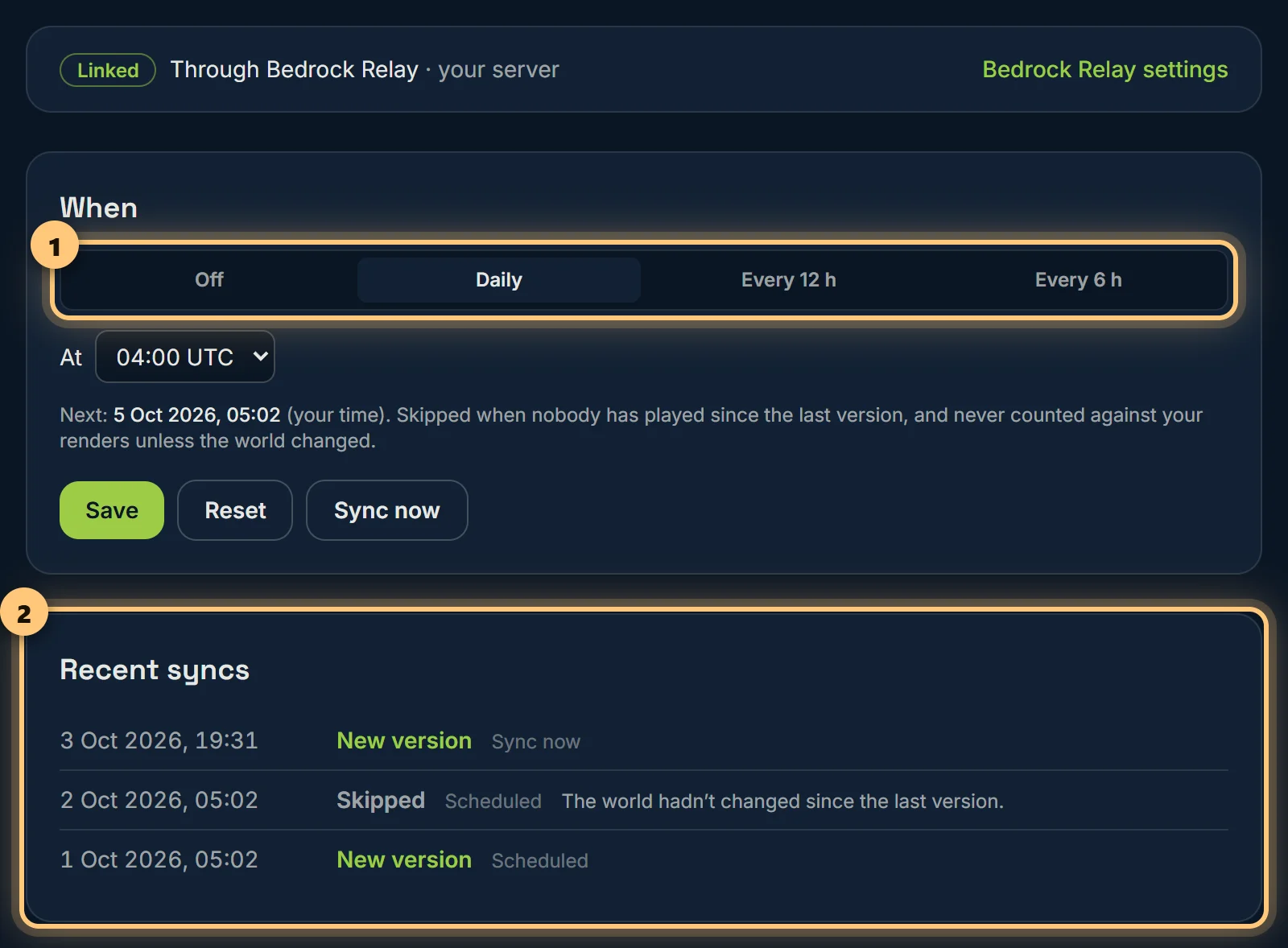
How often
- Daily, at an hour you choose (UTC).
- Every 12 hours or every 6 hours.
- Off: only when you press Sync now.
Relay takes a clean copy even while the server is running. If the world hasn't changed since the last copy, it isn't rendered again, so a quiet day costs nothing. Each render uses one of your renders for the day.
What happened
Every sync is listed with how it went: new version (rendered), skipped (nothing changed), or failed, with the reason, such as the server being offline or its login no longer working.
Java worlds
Bedrock Relay copies Bedrock worlds only. For a Java server, our BedrockMap plugin sends the world itself, on the same schedules: see Java servers. Or upload a newer copy yourself: your settings, markers and address stay as they are.
Sync from the old BedrockMap
If you set up SFTP sync or a push script on the old site, it keeps working until 31 March 2027, and its card on this page says when it last ran. Connecting Bedrock Relay (or, for a Java world, choosing our plugin) replaces it. You can switch the old one off at any time.
Auto-sync is part of Premium.
Ready to make a map, or need to change something?
Open your dashboard