
Help Adding to your map
Hidden areas
Keep secret bases, unfinished builds and private projects off the map visitors see. You still see everything.
Hide areas, or show only some
- Show everything: nothing hidden.
- Hide areas: the rectangles you draw are hidden; everything else shows.
- Show only areas: only the rectangles you draw show; the rest is hidden.
Each dimension has its own areas.
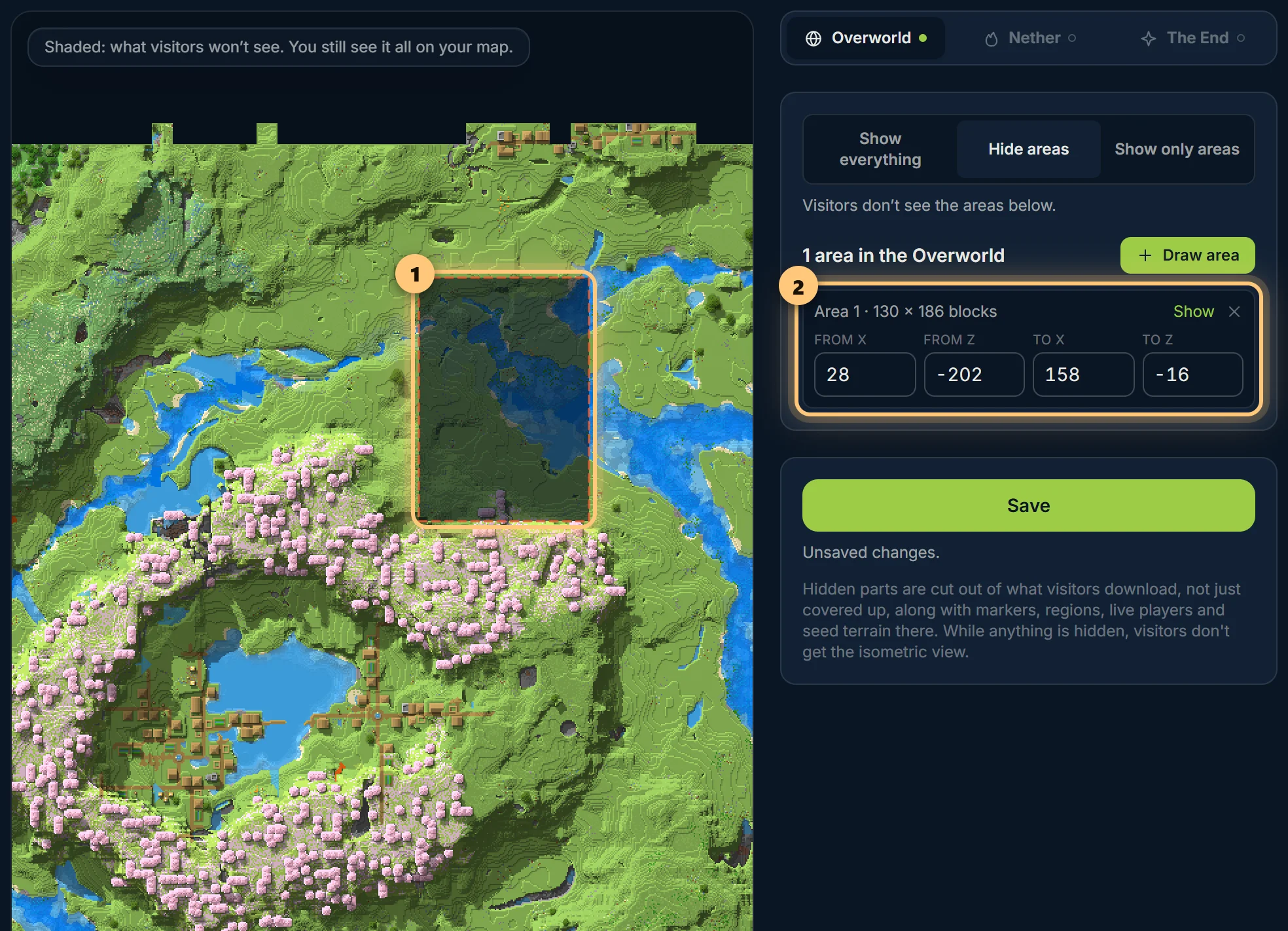
Drawing an area
- Choose Draw area.
- Click one corner of the area, then the opposite corner. You can drag the map in between.
- Choose Save.
What visitors see
Hidden parts are cut out of the map itself, not covered up: they're simply not there for visitors, at any zoom. Markers, regions and players inside them are hidden too, and so is the land drawn from your seed.
- After saving, BedrockMap makes the visitors' copy of the map. Until it's ready, visitors see a short "being updated" note instead of the map.
- While anything is hidden, the isometric view and world downloads are off for visitors, because neither can be cut exactly.
- You see the whole map, with the hidden parts shaded and a note saying so.
Hidden areas are part of Premium. If Premium ends, they stay hidden: nothing you hid is ever shown because a plan changed.
Ready to make a map, or need to change something?
Open your dashboard