
Help With Bedrock Relay
Live players
Everyone on your Realm or server, on the map as they move around, with the face from their own skin.
How it works
Once your world is connected through Bedrock Relay (or, for a Java server, our Java plugin is installed), BedrockMap is told where everyone is every few seconds. Visitors see each player's head on the map, can list who's online, and can follow someone around. See Players online.
Java servers
Bedrock Relay is for Bedrock worlds. For a Java world, the Live players page offers our plugin instead, for Paper, Spigot, Purpur and Fabric: download it, make it a key here, and run one command in the server's console. Players can add markers with /bedrockmap too. See Java servers for the details.
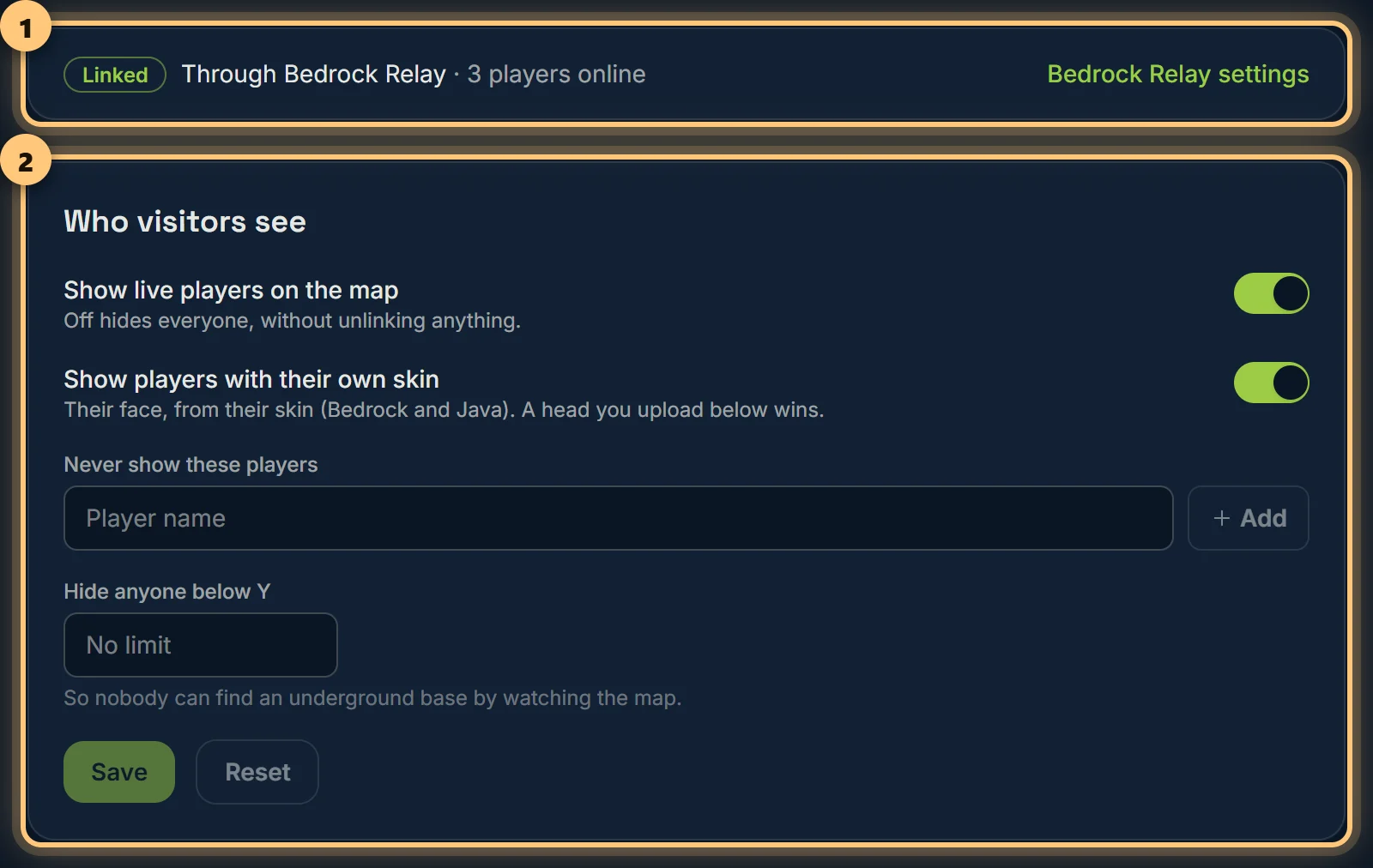
Who visitors see
- Show live players on the map: off hides everyone, without unlinking anything.
- Show players with their own skin: the face from their skin, for Bedrock and Java players. Off shows a pin.
- Hide anyone below a height: for underground bases. Players below that Y aren't shown.
- Never show these players: type a name and choose Add. Good for staff, or anyone who'd rather not be on the map.
Players in a hidden area aren't shown to visitors either.
Player heads
To show someone with a picture of your choosing instead of their skin's face, add it under Player heads: type their name and choose a picture. It's drawn at 64 pixels with crisp edges.
The old BedrockMap addon
The BedrockMap addon and plugins from the old site aren't offered any more: live players come through Bedrock Relay, or for Java servers the new plugin. If you installed an old one, it keeps working until 31 March 2027, and its key is listed on this page so you can revoke it. Moving a Java server to the new plugin.
Ready to make a map, or need to change something?
Open your dashboard