
Help Getting started
How BedrockMap works
Upload a Minecraft world and BedrockMap draws every block of it into a map anyone can explore in a web browser, with no mods or downloads.
What it does
BedrockMap reads your world file, renders it from above, block by block, and turns it into a map you can drag and zoom like an online map of the real world. You get a link to share. Anyone with it can look around your world on a phone or a computer, without Minecraft.
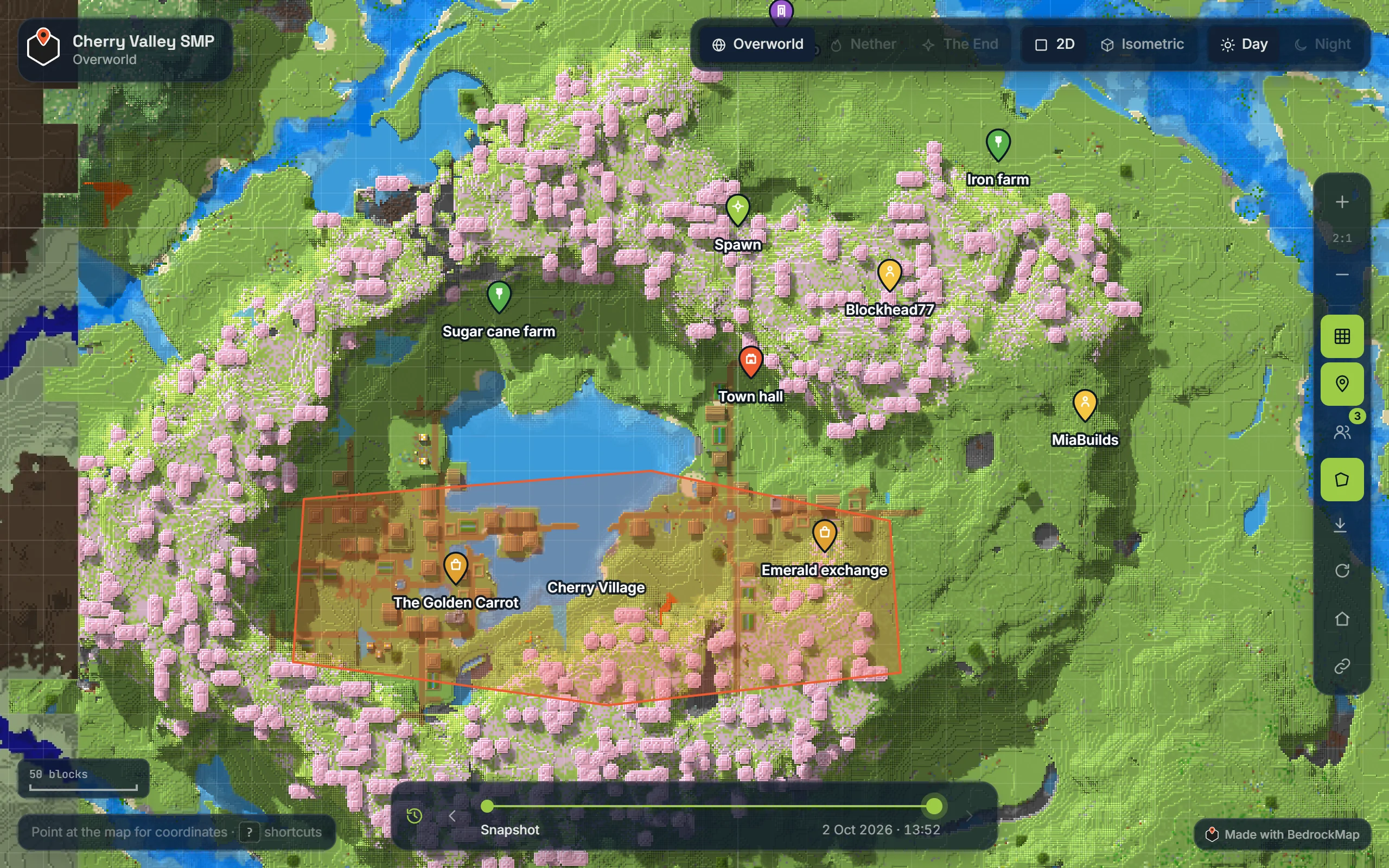
On top of the map you can add markers and labelled areas, hide parts you want kept secret, keep a timeline of how the world grew, and, with Bedrock Relay, show players moving around live.
What you need
- A Minecraft world, Bedrock or Java Edition: a single-player world, a Realm, or a server's world. How to get the file.
- A BedrockMap account. Sign up with Google or Discord, or with your email address. New accounts get 7 days of Premium to try everything.
That's all. Nothing is installed in your world, and the world you upload is only read, never changed.
From world to map
- Upload your world. Drop a
.mcworldor a zipped world folder on your dashboard. Uploading. - Check the preview. The first render is a quick preview around spawn, ready in a minute or two. The preview.
- Render the full world. Adjust the area if you like, then render it all. Render area.
- Share the link. Your map is at
bedrockmap.net/map/your-world. Who can see it.
Free and Premium
Free is enough for one world. Premium is for bigger worlds and everything on top of the map.
| Free | Premium | |
|---|---|---|
| Worlds | 1 | 10 |
| Map size | 1,500 × 1,500 blocks | 30,000 × 30,000 blocks |
| Renders a day | 2 | 20, ahead in the queue |
| Shadows and textures | Preview only | Yes |
| Markers, regions, hidden areas, timeline | No | Yes |
| Private maps, embedding, own subdomain | No | Yes |
| Live players and auto-sync | No | Yes, through Bedrock Relay |
See Free and Premium for the details, the trial, and what happens if Premium ends.
Ready to make a map, or need to change something?
Open your dashboard