
Help Sharing
Embedding
Put the live map on your server's website or wiki: the same map visitors see on BedrockMap, inside your own page.
Allowing your website
For safety, a map only shows on websites you list. Open your world, then Embed:
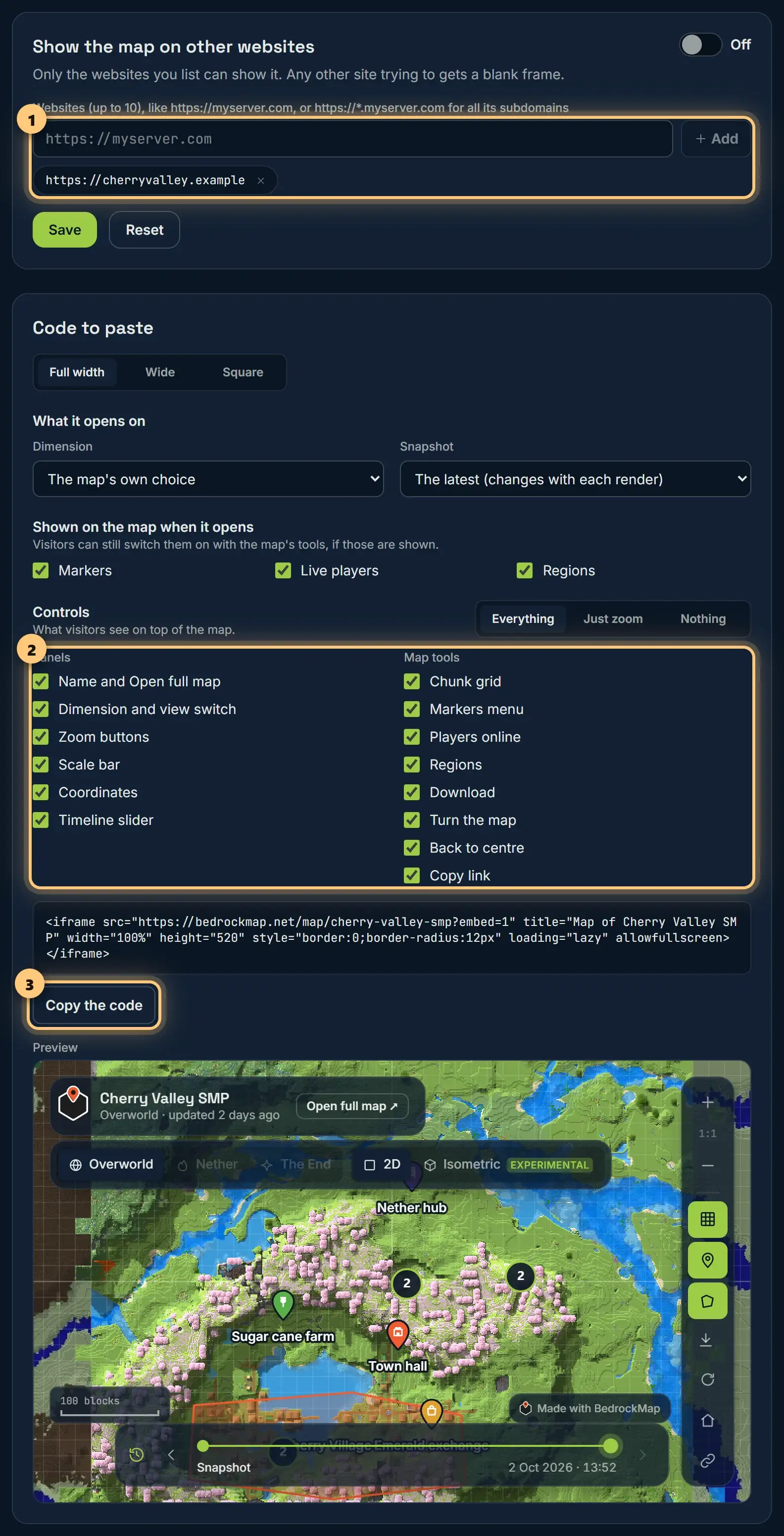
- Switch on Embedding.
- Type your website's address, like
https://myserver.com, and choose Add. Usehttps://*.myserver.comfor all its subdomains. Up to 10. - Choose Save.
Any other website trying to show your map gets a blank frame.
The code to paste
Choose a size (full width, wide or square) and how the embedded map looks, then Copy the code and paste it into your page, where you'd put any HTML.
- What it opens on: a dimension, or the map's own choice. With a timeline, a snapshot too: always the latest, or one you pick, which stays the same however often you render.
- Shown on the map when it opens: markers, live players and regions, each on or off.
- Controls: tick just the parts you want, like the zoom buttons, the scale bar, coordinates, the timeline slider or each of the map's tools. Everything, Just zoom and Nothing are quick starting points.
Your choices are part of the code, so you can paste the map more than once, set up differently on each page.
The preview underneath shows exactly what you'll get. Every embedded map has a link to open the full map.
Private maps can't be embedded: visitors to your website don't have the access link. Make it unlisted instead.
Embedding is part of Premium.
Ready to make a map, or need to change something?
Open your dashboard